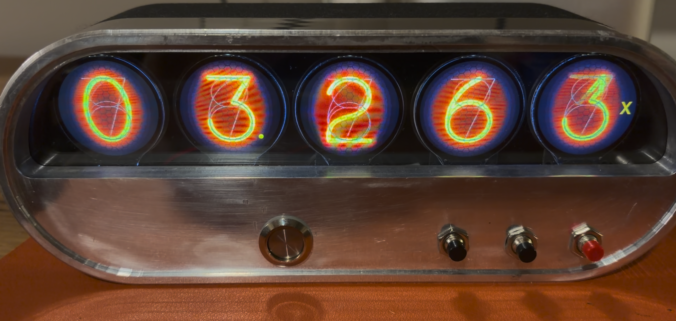
It has been a minute since we’ve updated our Kearney & Trecker 2HL Mill overhaul. Life has intervened with a job change and relocation, and with the mill basically finished it now sits in storage awaiting its new home. Not to worry, though. Knowing this transition was in the cards, I saved a (to me) cool little mini-project to keep the machine overhaul gods appeased during the transition.
For those of us who are adequate, at best, in reading dials, a digital readout is a great tool to have, particularly when backlash creeps in as a significant factor on older machines. Another challenge with these older machines, like our 1942-vintage K&T, is that they just don’t “fit” with some of the more modern DRO systems. Let’s face it, there is a cool vibe with vintage American iron that clashes with a cheap imported DRO display.
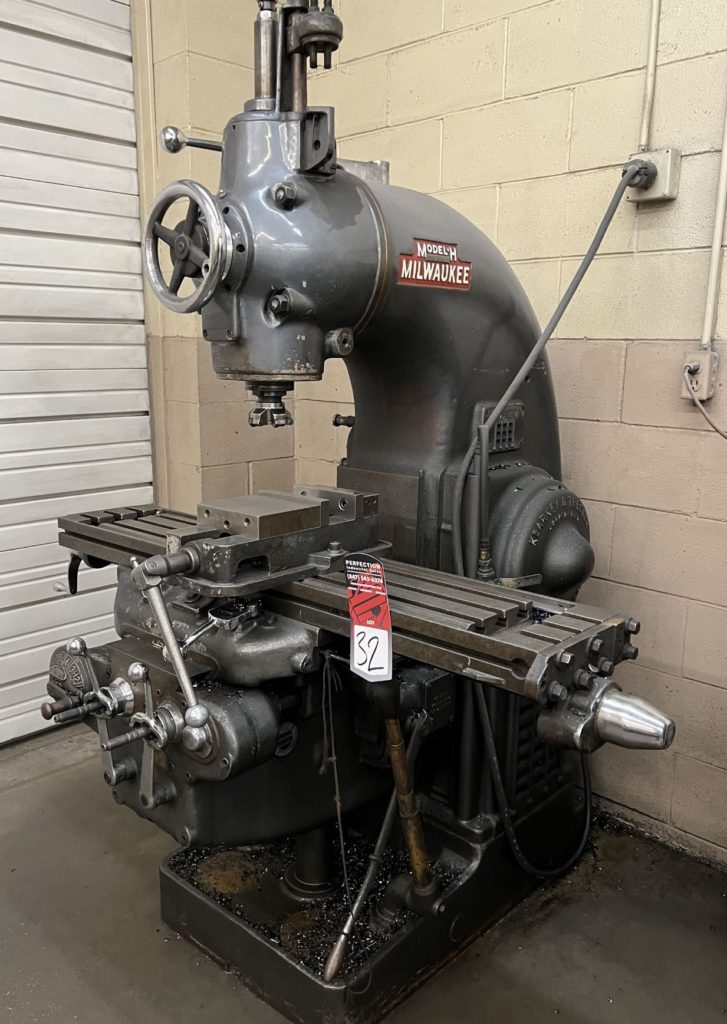
So for a cherry on top of what has been an otherwise practical rebuild, we are going to finish off the K&T with a somewhat impractical solution — a digital readout with a vintage nixie tube style display.
As most folks of a certain age know, a nixie is a gas-filled tube that contains a wire mesh anode and cathodes shaped like the figure to be displayed, usually numerals. The cathodes emit a warm, organic glow not dissimilar to neon when energized. Nixie tubes were popular in the middle of the last century and evoke the vibe of the era. They should be a great compliment to the mid-century style of the K&T.
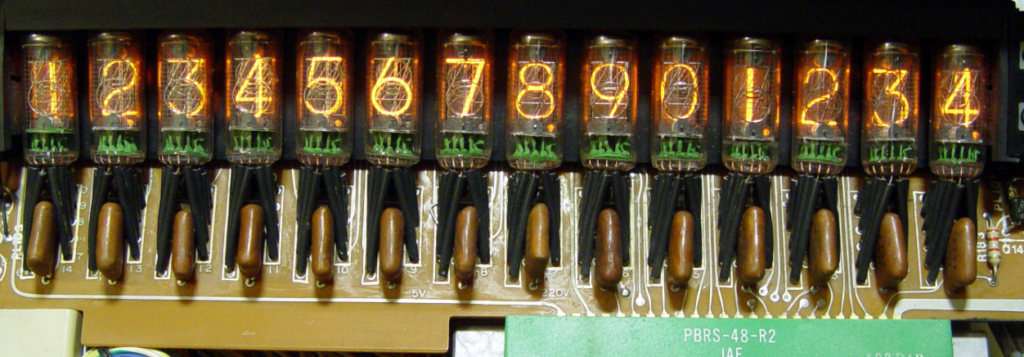
Unfortunately, nixie tubes are now out of production and are starting to get expensive used. More importantly, they need 170v, which is not what I want to worry about supplying around the sensitive signals from the linear scales that will feed data to the DRO. I briefly looked at options like vacuum fluorescent displays instead, but ultimately decided to see if I could find something more modern to simulate the nixie effect (thus, “nixie style” DRO).
Looking further into what was available, I ran into the Info Orbs project by Brett Turner. The hardware consists of an ESP32 microcontroller driving five round 1.28″ TFT displays. Capable of displaying desktop widgets of all sorts, what caught my attention was the ability of this open source project to display simulated nixie digits, basically granting me an easy entry to a programmable 5-digit “nixie” display.
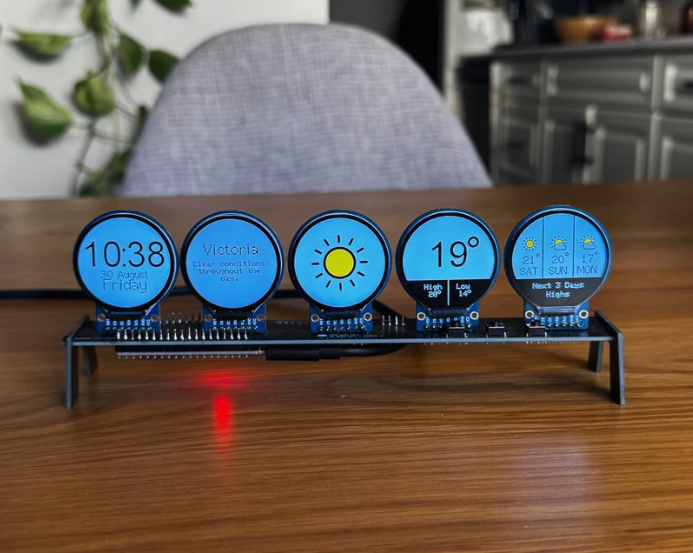
Because the ESP32 microcontroller is well documented and is capable of communication over serial (UART), bluetooth, and wireless, I knew it would be possible to bring coordinate data into the Info Orbs microcontroller and then write code to convert those coordinates into the first five significant digits of the display, calling up the appropriate nixie image in each case.
The next question was the obvious one — how to convert the pulse data from commonly available glass linear scales that track the mill’s movement into coordinate data readable by the ESP32 driving the TFT displays. Fortunately, that is where another home grown project comes into play. While not open source, the TouchDRO is a tablet-based digital readout platform that uses a — you guessed it — ESP32 microcontroller to gather linear scale pulse data and transmit it via bluetooth to an Android tablet that serves as the DRO screen.
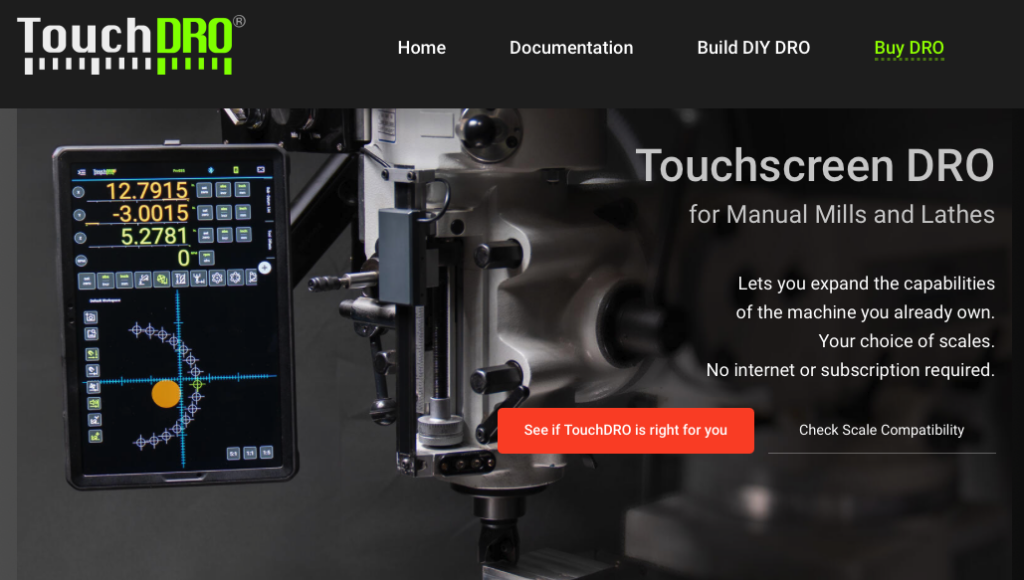
Because the TouchDRO handles all of the pesky conversion and outputs coordinates for display, all I then had to do was to figure out how to get that data stream from the TouchDRO ESP32 to the Info Orb ESP32 driving the TFT displays. I tried this for a while with bluetooth but quickly abandoned the idea as too complicated. But never fear, two ESP32s can also communicate with one another over a serial (UART) connection. This can usually be accomplished by connecting the transmit and receive pins and then activating the bridge in software.
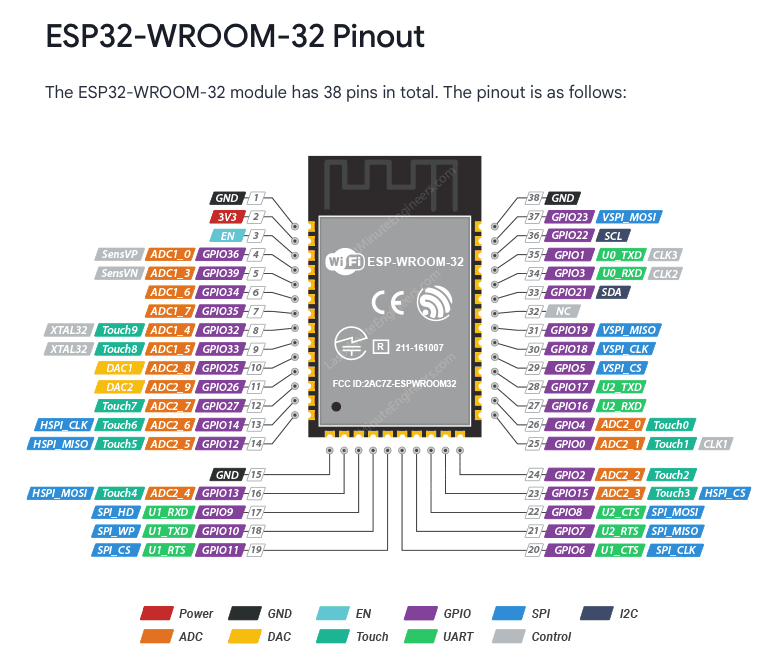
Because the Info Orb platform is open source, I could accommodate this easily on that end by defining an incoming pin and a baud rate, but the TouchDRO on the other end is proprietary and came locked down. This means that communication would work only if the software on the TouchDro had already enabled UART signals, perhaps for debugging purposes. So out came my janky but trusty mini oscilloscope to begin probing the pins tagged for serial transmission. And, low and behold …
I then confirmed that I was getting real information out of the TouchDRO ESP32 by using a cheap Amazon serial-to-USB converter and sending the signal from the output pin of the ESP32 to a PC. That exercise confirmed that the ESP32 was sending periodic position information in something like a “X:302;Y:4044;Z:223” format.
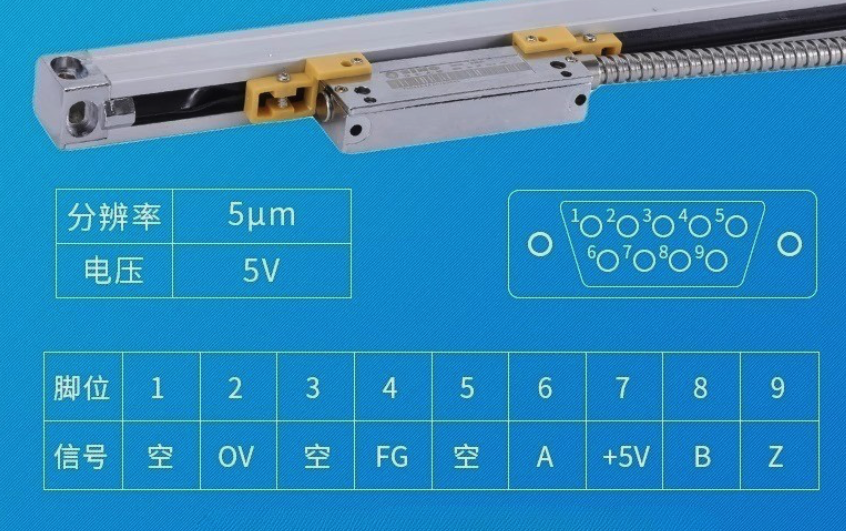
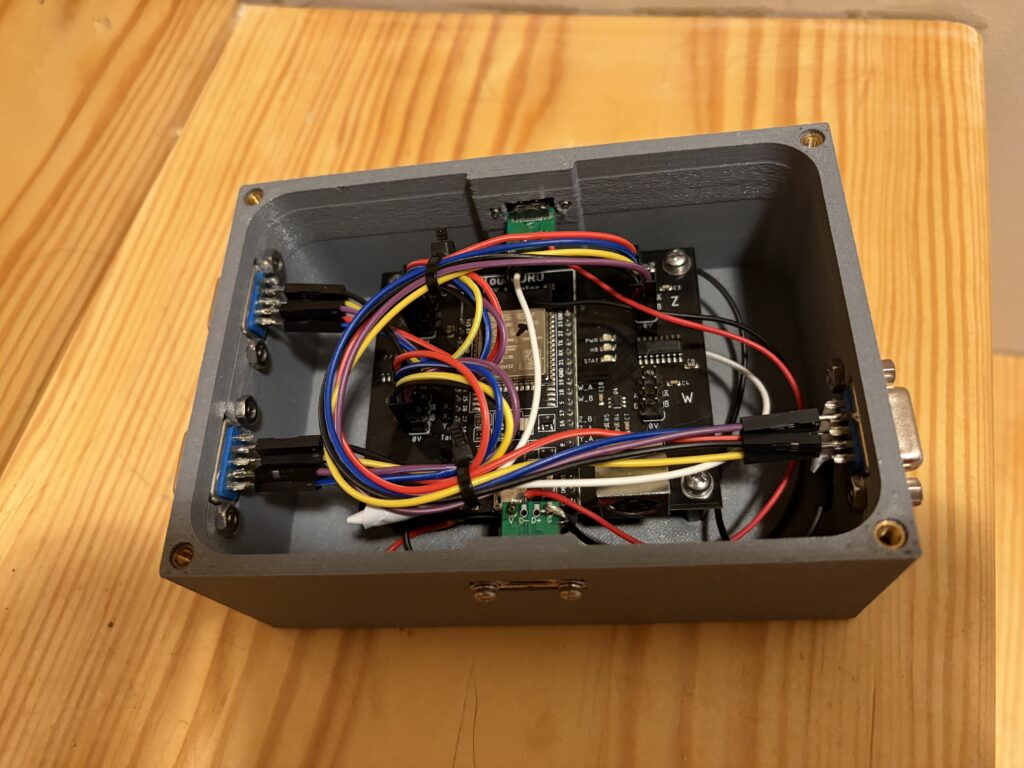
From there, the task became one of building a project box to house the TouchDRO and to set up the DB9 input connection to link to the Sino linear scales I chose to use for the project. This required soldering the pins of the DB9 connectors to jumper wires that could connect directly to the TouchDRO project board.
For the case to house my faux Nixie tubes, I elected to mill the front half out of aluminum using my benchtop CNC. The back half was 3D printed using my favorite carbon fiber PETG.
Into this aluminum piece we install a push button power switch and three momentary on/off switches. One will switch the axis being displayed, another will switch from imperial and metric units, and the third will zero the currently displayed axis.

5v power is provided first to the 3d printed case housing the TouchDRO ESP32 via a USB-C cable. That power is passed through, together with the UART signal and ground wire, to the housing for the ESP32 driving the Info Orbs.
With everything connected, it was on to the coding. The Info Orbs project is coded in C++, with a convenient “widget” class that defines display behavior. The regular project allows you to cycle through widgets (stocks, weather, clock, etc.) but since this implementation will be dedicated to a DRO display, I nuked all that and coded a single widget to scan for the axis coordinate data, convert it to a 5 digit display, and refresh the display as the coordinate data changes. I then added custom event handlers for the button presses that allowed for switching the axis being displayed, switching between metric and imperial measurements, and zeroing the current axis.
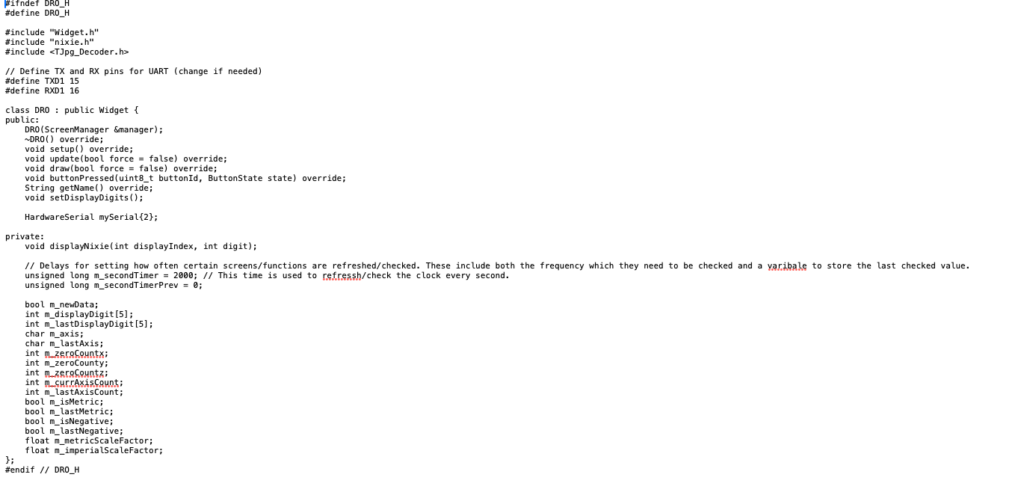
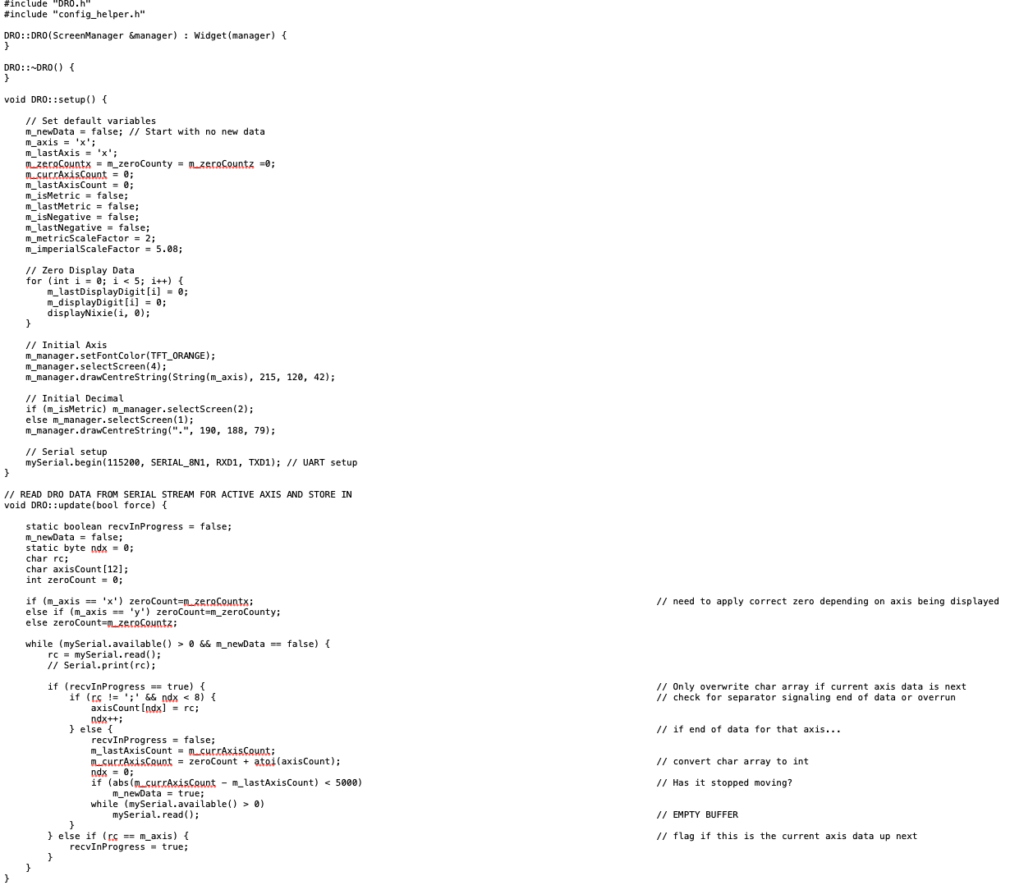
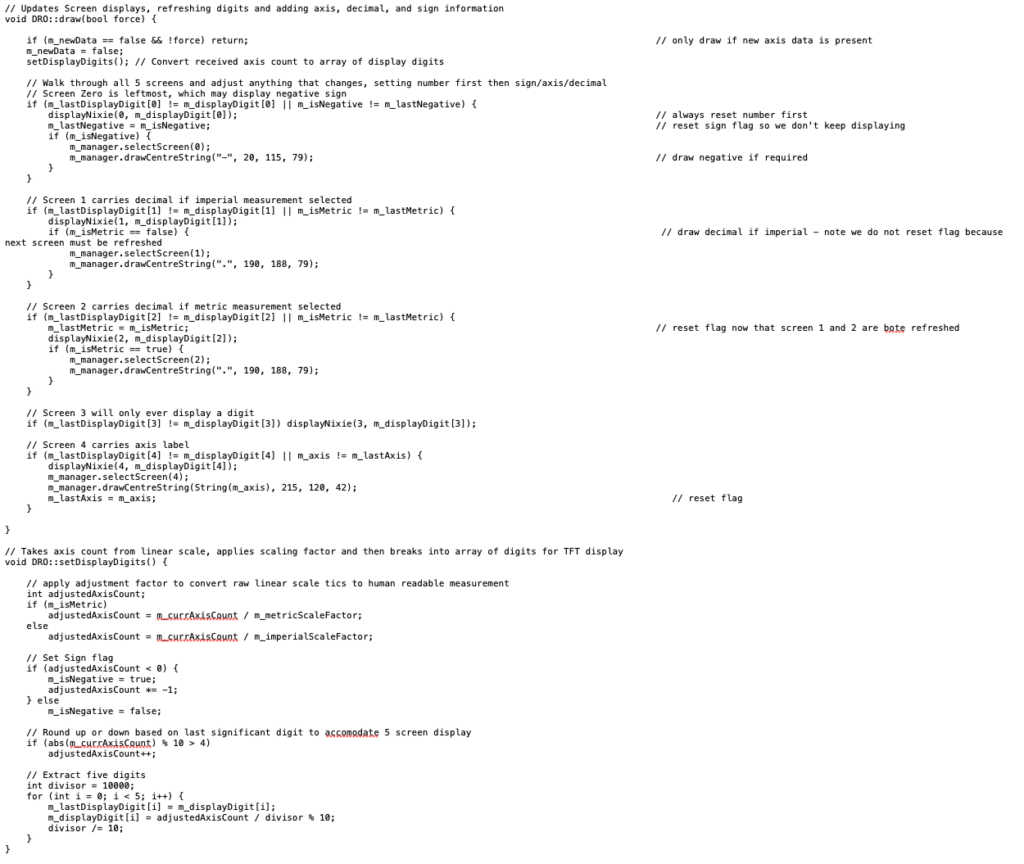
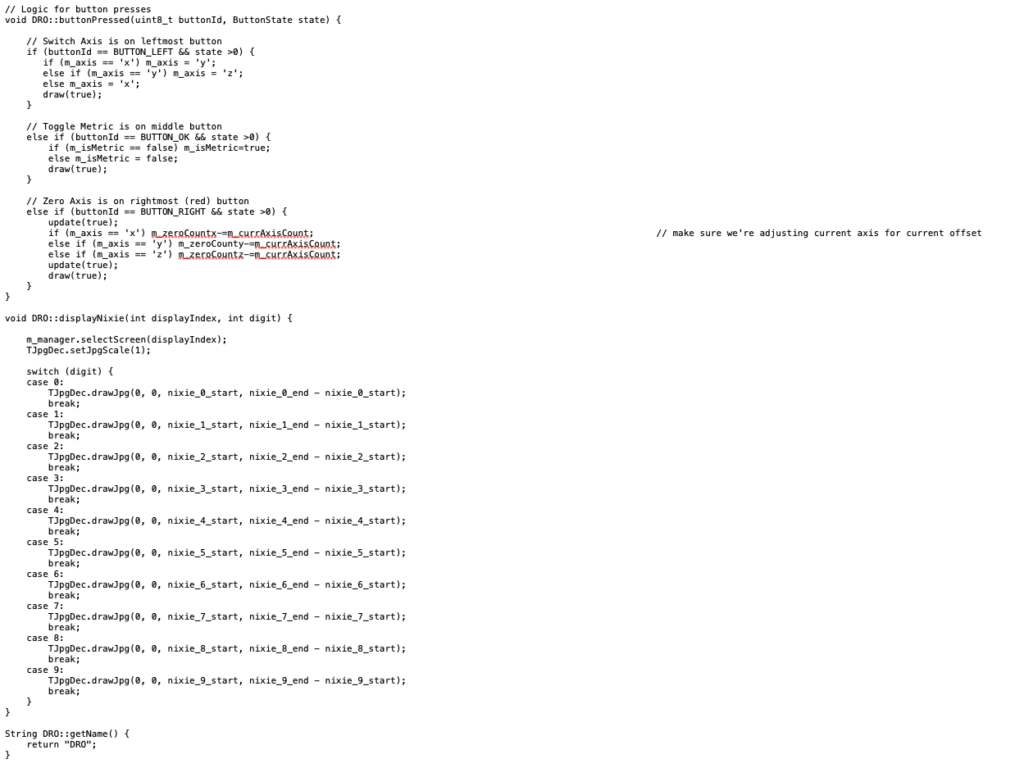
With the new widget uploaded to the Info Orbs ESP32 and some debugging to get the displays working correctly, we had our final result. Below you can see the system connected to a Sino linear scale. We can switch through the axes, toggle metric and imperial displays, and then zero the active axis. We’re somewhat limited by the five significant digits provided by the Info Orbs platform, but importantly the bluetooth connection from the TouchDRO ESP32 still works. If I need more precision I can always fire up a tablet and avail myself of that functionality.
Best of both worlds. We’ve brewed up a visually interesting but still useful display that fits with the vibe of the machine. Pretty neat.